• Home
  • About
  • Advertise
  • Contact
  • Signup to receive updates
 Innovation | Startups | Funding | Tech Blog in Africa
NiRA Event
  • Home
  • Startups
  • Opportunities
  • Funding
  • Women Tech
  • Expert Column
  • Blockchain
No Result
View All Result
  • Home
  • Startups
  • Opportunities
  • Funding
  • Women Tech
  • Expert Column
  • Blockchain
No Result
View All Result
Innovation | Startups | Funding | Tech Blog in Africa
No Result
View All Result
Home General

How To Do Google Reverse Image Search

by Editor
7 years ago
in General
Reading Time: 3 mins read
A A
reverse image search android6

reverse image search android6

Share on FacebookShare on Twitter

RelatedPosts

Paystack Targets Nigerian SMEs With New Support Programme

AWIEF Announces Pitch n Grow 2026

TikTok, ICC Unveil Initative to Expand Digital Commerce Opportunities for Nigerian SMBs

59% of TikTok Users in Nigeria Follow Football, New Study Shows

As a blogger, You probably have spent, so much, on a particular story, or, piece, such that, you have done much to make it to a taste of perfection.

As it is time for publication and having no image at your disposal, you decided to pick an image online and use, as your featured image, then , you publish.

In a matter of minutes, you get comments or calls from people, probably in your circle, asking you about the authenticity of the image you have used, then, reality strikes.

You just remembered that, you obtained the image from a random blog site, without doing a thorough verification.

Your competitors, in the same space, meanwhile, have taken screenshots of the post.

The question here, now, is that, why do you have to put yourself in such a messy situation, when you have the option of doing a Google Reverse Image Search?

Many online writers, especially, the one that seeks their post going viral for the cash, or, traffic, pick random images from other sites and use them, without hesitation.

Whether you are a media personnel, working online, or, just a blogger, a taste of professionalism is required, if you want the industry to take you seriously.

You might be surprised that, the misuse of the image could cost you a lot.

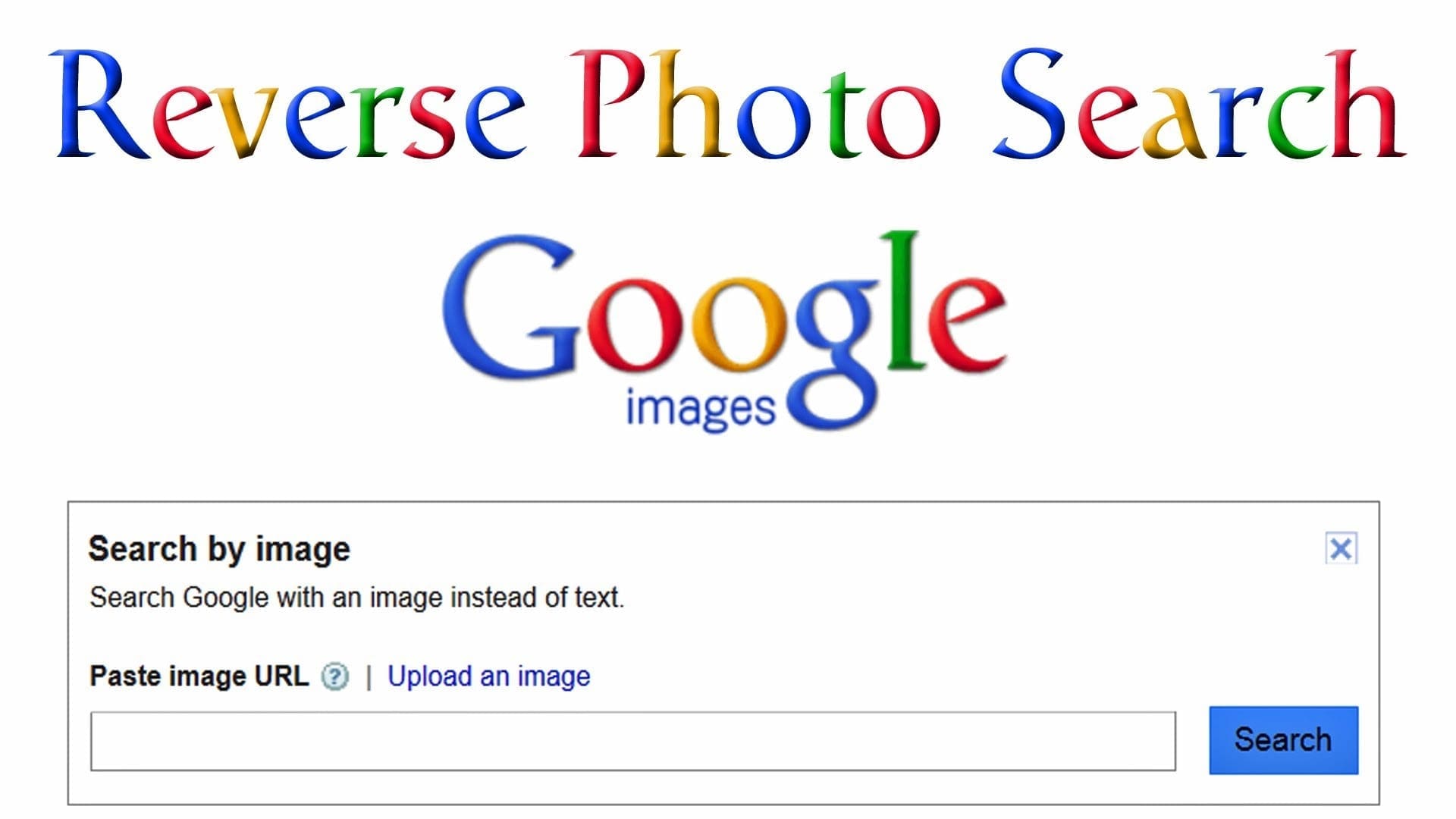
How, then, does one ensure the authenticity of an online image, before use? Below, are simple guides on Google Reverse Image Search:

Step 1
Google Reverse Image search - cfamedia

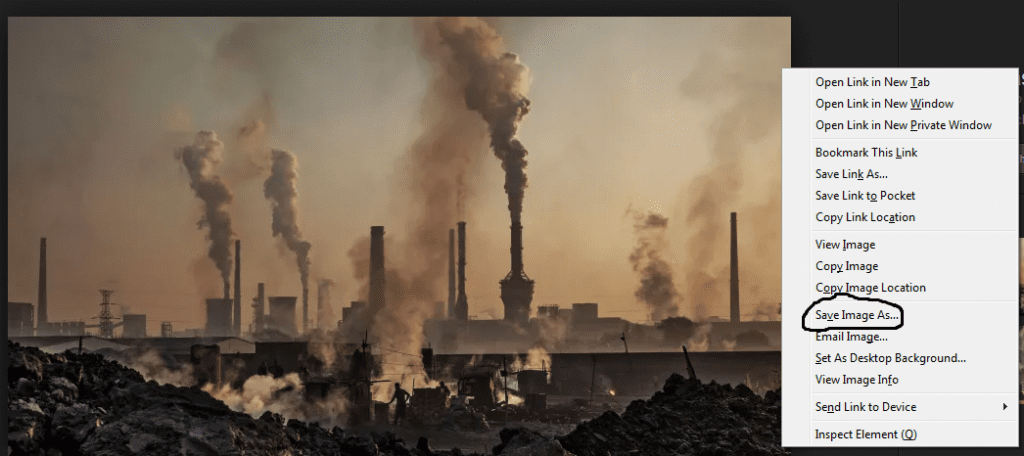
Download the image you need to verify.

You could also copy the URL of the image alone and not the web page, where the image was found.

Step 2
G2

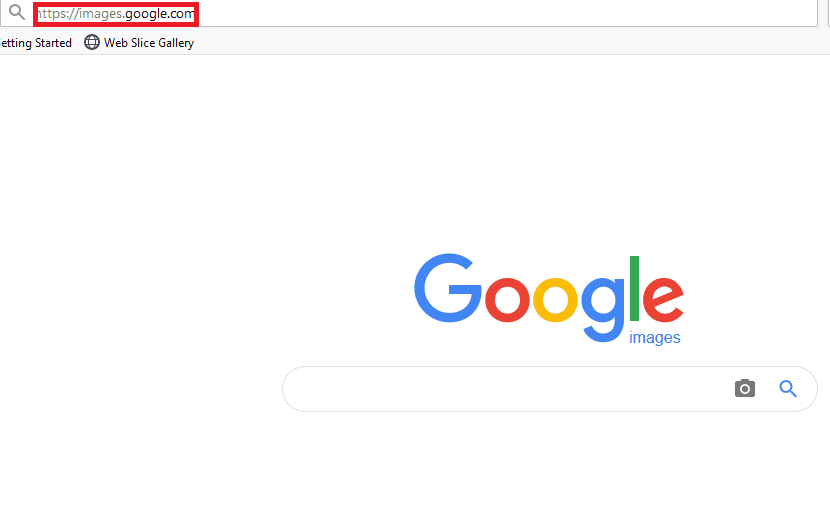
Open another tab on the web browser and type in https://images.google.com

Step 3
G3

Google Reverse Image search - cfamedia

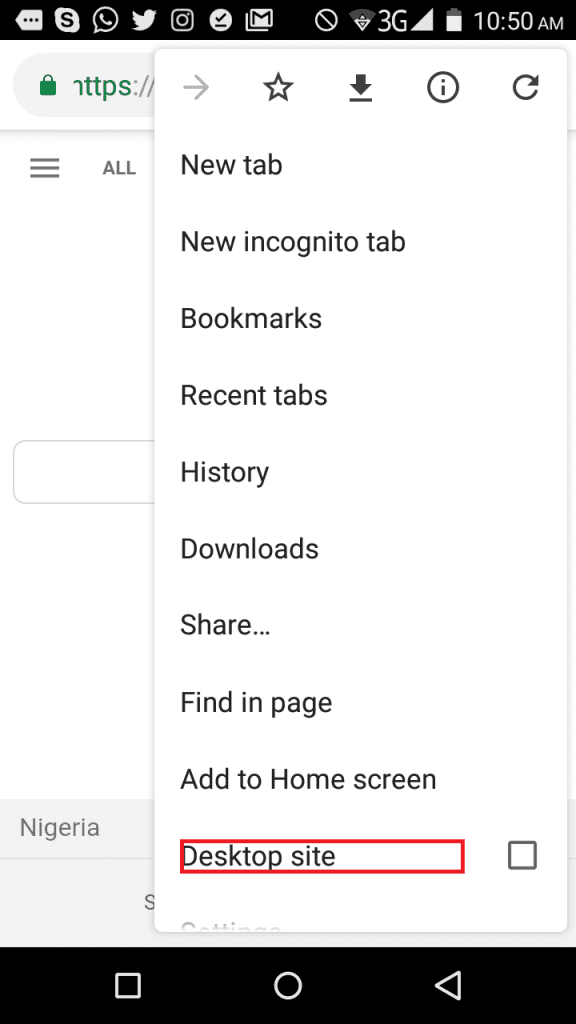
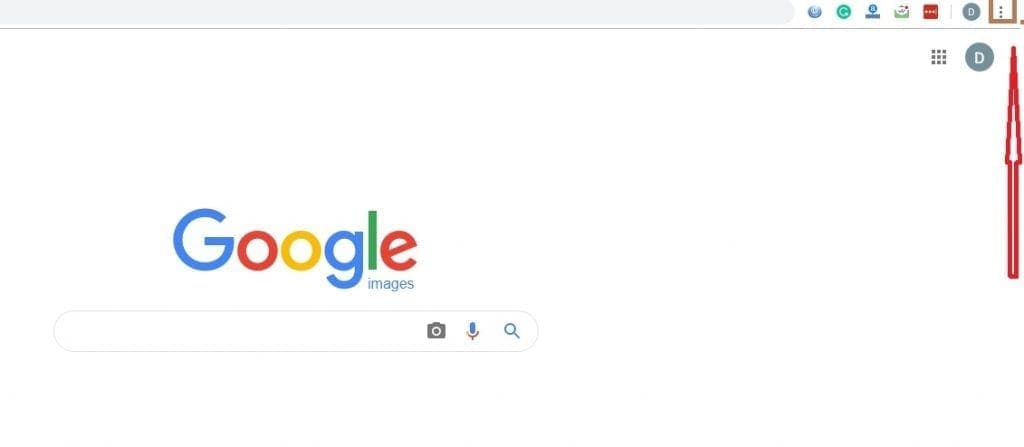
Navigate through the browser menu, scroll downwards and select “Request Desktop Site”.

If your web browser is Chrome, the menu can be found by clicking on the three dots at the top right corner of your device.

Step 4
G4


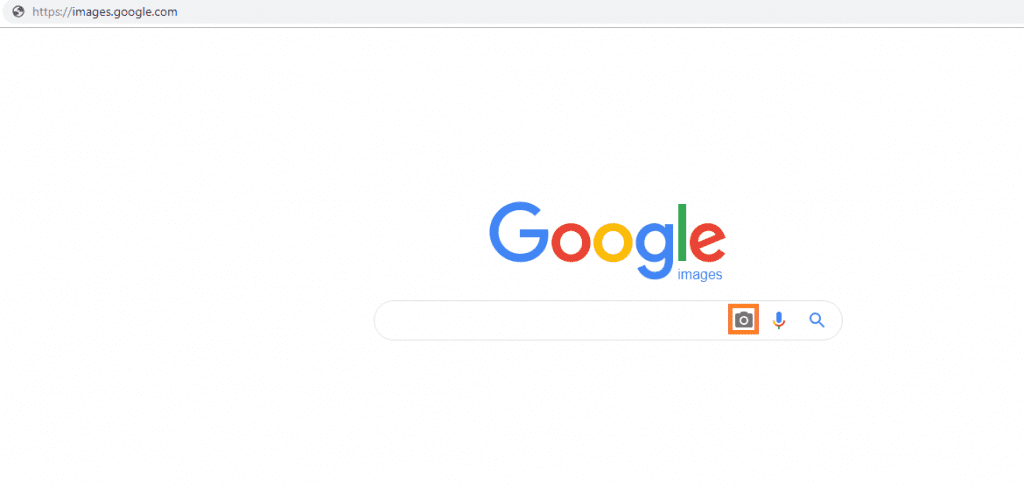
On the same page in your browser, click on the camera icon beside the search bar

Step 5
Google Reverse Image search - cfamedia

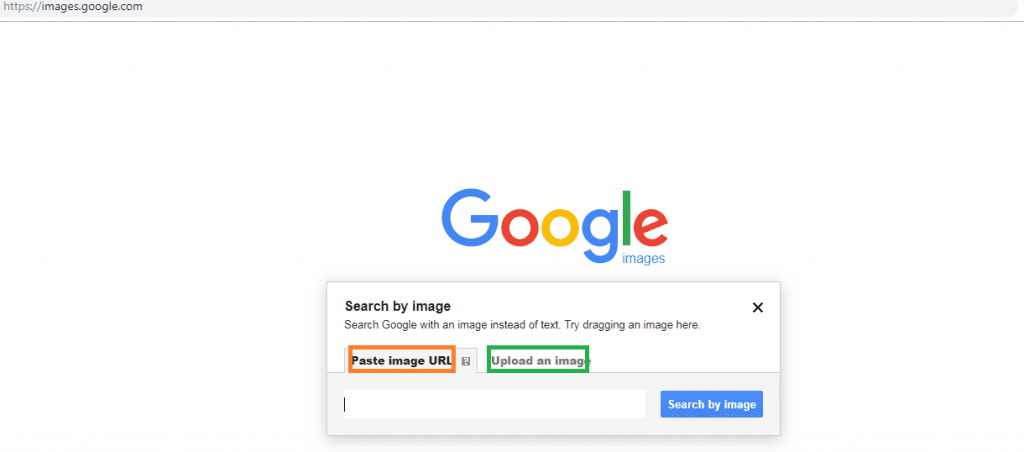
This will lead you to two options; place the URL of the image you want to verify in the search bar, or, select the “Upload an image”, tab to drop your saved image from step1

Finally the results pop up and you will see where the picture was originally used and the copyright to the picture, if there is any.

Note: If Google Chrome is your default mobile browser, take a long press on the image; a drop-down menu appears. Select “Search Google for this image” to initiate a reverse image search.


Featured Image: hdimages

Join @techbuildafrica on Telegram
ShareTweetShareSendShare

Related Posts

Paystack Small Business
General

Paystack Targets Nigerian SMEs With New Support Programme

AWIEF
General

AWIEF Announces Pitch n Grow 2026

Digital Commerce Labs
General

TikTok, ICC Unveil Initative to Expand Digital Commerce Opportunities for Nigerian SMBs

Subscribe Us

Recent Posts

  • RoboCare Lands Investment From 216 Capital to Expand Its Farm Intelligence Platform Beyond Tunisia
  • Football Podcasts Gain Momentum Across Sub-Saharan Africa, Spotify Reveals
  • AI for Nigerian SMEs: Breaking Through the Barriers to Adoption
  • Flat6Labs, IFC Launch StartAlgeria to Strengthen Algeria’s Startup Support Ecosystem
  • WapiPay Secures Canadian Regulatory Approval to Scale Cross-Border Payments
  • Irvine Partners CEO Clinches Major Industry Awards in UK, EMEA
  • Personal Equity: Quantifying Individual Activity to Price Risk
  • Paystack Targets Nigerian SMEs With New Support Programme
  • Spiro Gains $55M Investment From NewTrails to Grow Africa’s EV Ecosystem
  • AWIEF Announces Pitch n Grow 2026

Telegram

Join @techbuildafrica on Telegram
Innovation | Startups | Funding | Tech Blog in Africa

© 2013-2024 techbuild.africa. All Rights Reserved.

Navigate Site

  • About
  • Contact
  • Privacy
  • Sitemap
  • Terms
  • Blockchain
  • CleanTech

Follow Us

Welcome Back!

Login to your account below

Forgotten Password?

Retrieve your password

Please enter your username or email address to reset your password.

Log In

Add New Playlist

No Result
View All Result
  • Home
  • Startups
  • Hubs
  • Funding
  • WomenTech
  • CleanTech
  • Blockchain

© 2013-2024 techbuild.africa. All Rights Reserved.

This website uses cookies. By continuing to use this website you are giving consent to cookies being used. Visit our Privacy and Cookie Policy.
Secret Link