• Home
  • About
  • Advertise
  • Contact
  • Signup to receive updates
 Innovation | Startups | Funding | Tech Blog in Africa
NiRA Event
  • Home
  • Startups
  • Opportunities
  • Funding
  • Women Tech
  • Expert Column
  • Blockchain
No Result
View All Result
  • Home
  • Startups
  • Opportunities
  • Funding
  • Women Tech
  • Expert Column
  • Blockchain
No Result
View All Result
Innovation | Startups | Funding | Tech Blog in Africa
No Result
View All Result
Home General

Google Cloud Print: How to Print from Your Android Phone

by TechBuild.Africa
8 years ago
in General
Reading Time: 2 mins read
A A
google cloud print

google cloud print

Share on FacebookShare on Twitter

RelatedPosts

Conversations 2026:Meet Meta Business Agent

Digital Encode Sounds Alarm Over Nigeria’s Rising Cybersecurity Failures

PayPal’s Account Crackdown in Kenya Exposes a Bigger Challenge for Cross-Border Payments

Anthropic Nears $1 Trillion Valuation After Massive Series H Raise

The beauty of Android devices is that it is capable of doing amazing things. With an Android, you can score a song, video calls, scan documents, and also it can print it.

Recent high-end printers have Wi-Fi installed in them. But if yours doesn’t have one, don’t fret, Google, as always have you covered. The beauty of having a Google account is having access to all its products with just that account. Today we will be looking at how to print directly from our Android devices such as the phones, tablets.

There are a couple of ways to print from your phone. These include printing via the Bluetooth connection, WiFi, etc. but it is not everyone printer that supports this. That is why we will focus on the Google Cloud Print.

What is Google Cloud Print?

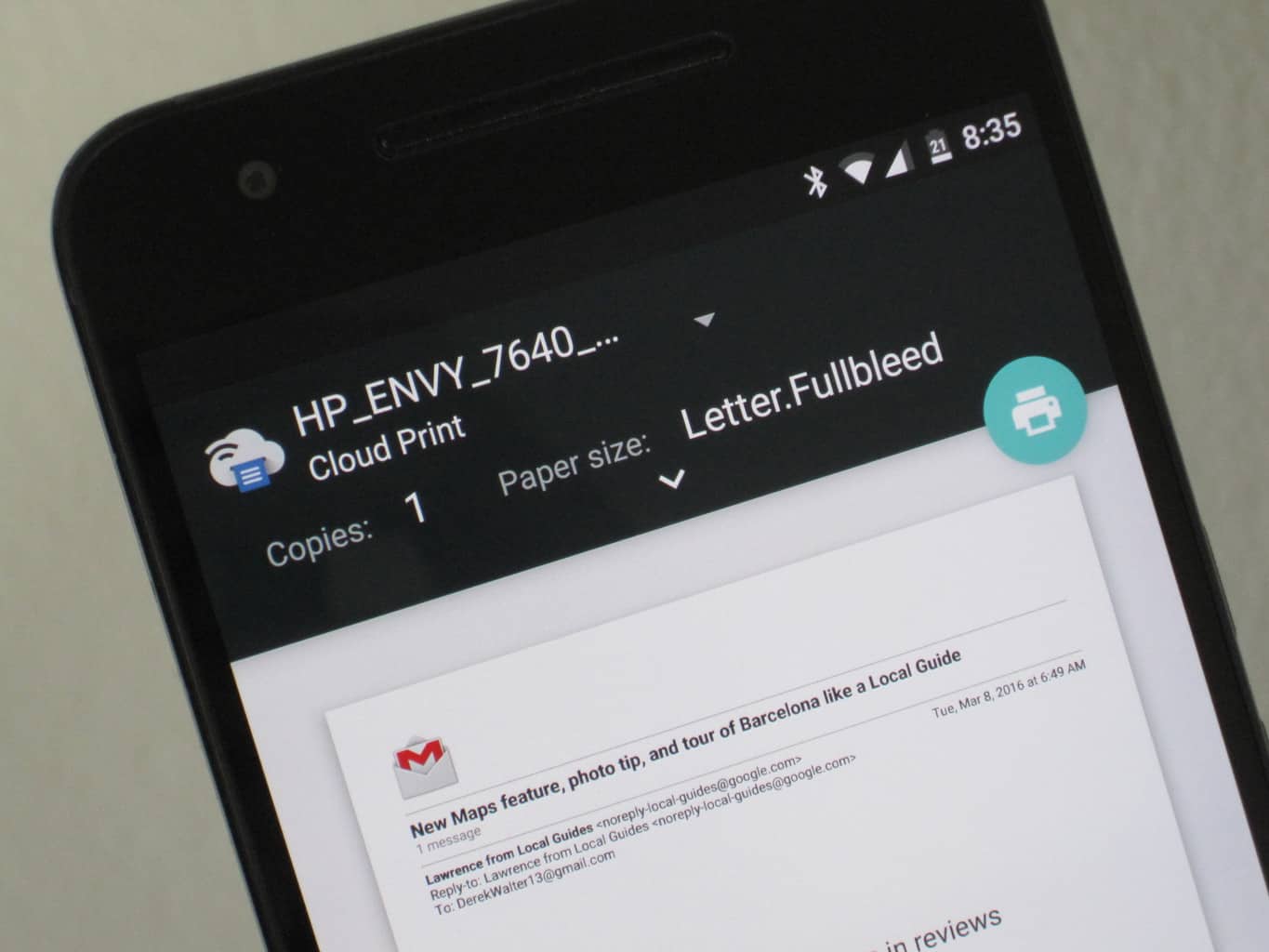
Google cloud print service is a service that lets users print over the web from anywhere, including your phone, to any printer. With this service, you don’t have to create or maintain any physical connections or install device drivers for the client. It helps you print from anywhere, from anything with web connectivity, share and manage printers.

How to set up Google Cloud Print

The initial set up might appear a bit tricky, but we are here to help you walk through it.

Please, not that not all printers are supported. To know if yours is supported, kindly search it on Google.

1st Phase:

This is where we add your printer to the service.

  • On your computer system, launch Google Chrome
  • Log into your Google account.
  • Click the Menu tab; this is three dots or lines at the top-right corner of your browser window.
  • Scroll down and select Settings, then Advanced Settings
  • You will see the Google Cloud Print, select Manage.
  • Click on Add Printers
  • All available printers will be displayed; yours too should be detected.

2nd Phase: Setting up your android phone.

Some android OS has the app already installed. But if you aren’t the case, download from the play store. Follow the guide to install it.

The app is like an add-on, it doesn’t necessarily need you to run it before it works. In all you do, make sure you are using Google account on the device.

To print your document:

  • Open any document you want to print.
  • After the document is opened, click on the menu, which is the three-dot at the upper right corner of the opened document.
  • Print, this will lead you to a new window.
  • On the new page, click on Save ad PDF.
  • Select your printer, if you can’t find yours from the options, clicks All Printers. This displays all connected printer.

Now finally print.

This feature also supports printing web pages, clips, messages from your Gmail account.

Were you able to print your document using the Google Cloud Print? Let us know the comment section if you have any questions or contributions.


Join @techbuildafrica on Telegram
ShareTweetShareSendShare

Related Posts

Meta Business Agent
General

Conversations 2026:Meet Meta Business Agent

Digital Encode
General

Digital Encode Sounds Alarm Over Nigeria’s Rising Cybersecurity Failures

Paypal
General

PayPal’s Account Crackdown in Kenya Exposes a Bigger Challenge for Cross-Border Payments

Subscribe Us

Recent Posts

  • SA EV Startup Zimi Lands DBSA Backing to Build Out Fleet Charging Networks
  • The Small Business Owner’s New Advantage Is an AI Back Office
  • Rewriting Africa’s Energy Playbook: Toyin Emmanuel-Olubake on Why Catalyst Fund Backed PowerLabs
  • Aions Ventures Launches $6.1M to Help SA Startups Bridge the Series A Gap
  • Businesses Have a Right to Demand More from Their Technology Providers
  • Cascador Deploys $5M+ to Back Seven High-Impact Nigerian Startups
  • Celebrating a Decade of Impact: Africa Skills Hub Rebrands to ASH Africa
  • Anara Impact Capital Closes $48M First Fund to Back North Africa’s Impact Startups
  • Conversations 2026:Meet Meta Business Agent
  • Digital Encode Sounds Alarm Over Nigeria’s Rising Cybersecurity Failures

Telegram

Join @techbuildafrica on Telegram
Innovation | Startups | Funding | Tech Blog in Africa

© 2013-2024 techbuild.africa. All Rights Reserved.

Navigate Site

  • About
  • Contact
  • Privacy
  • Sitemap
  • Terms
  • Blockchain
  • CleanTech

Follow Us

Welcome Back!

Login to your account below

Forgotten Password?

Retrieve your password

Please enter your username or email address to reset your password.

Log In

Add New Playlist

No Result
View All Result
  • Home
  • Startups
  • Hubs
  • Funding
  • WomenTech
  • CleanTech
  • Blockchain

© 2013-2024 techbuild.africa. All Rights Reserved.

This website uses cookies. By continuing to use this website you are giving consent to cookies being used. Visit our Privacy and Cookie Policy.
Secret Link