



Last year, Google launched the “Results about you” tool to make it easy for you to request the removal of search results that contain your personal phone number, home address or email, right from the Google app or however you access Search.
Now, Google has significantly updated and improved the tool, helping you keep track of your personal contact information in Search and alerting you when we find it, so you can get it removed.
In the coming days, the tech giant will be rolling out a new dashboard that will let you know if web results with your contact information are showing up on Search.
Then, you can quickly request the removal of those results from Google — right in the tool. Google will also notify you when new results from the web containing your contact info pop up in Search, to give you added peace of mind.
You can access this tool in the Google app by clicking on your Google account photo and selecting “Results about you”. This tool is available in the U.S. in English to start, and will be rolled out to new languages and locations soon.
More control for your family
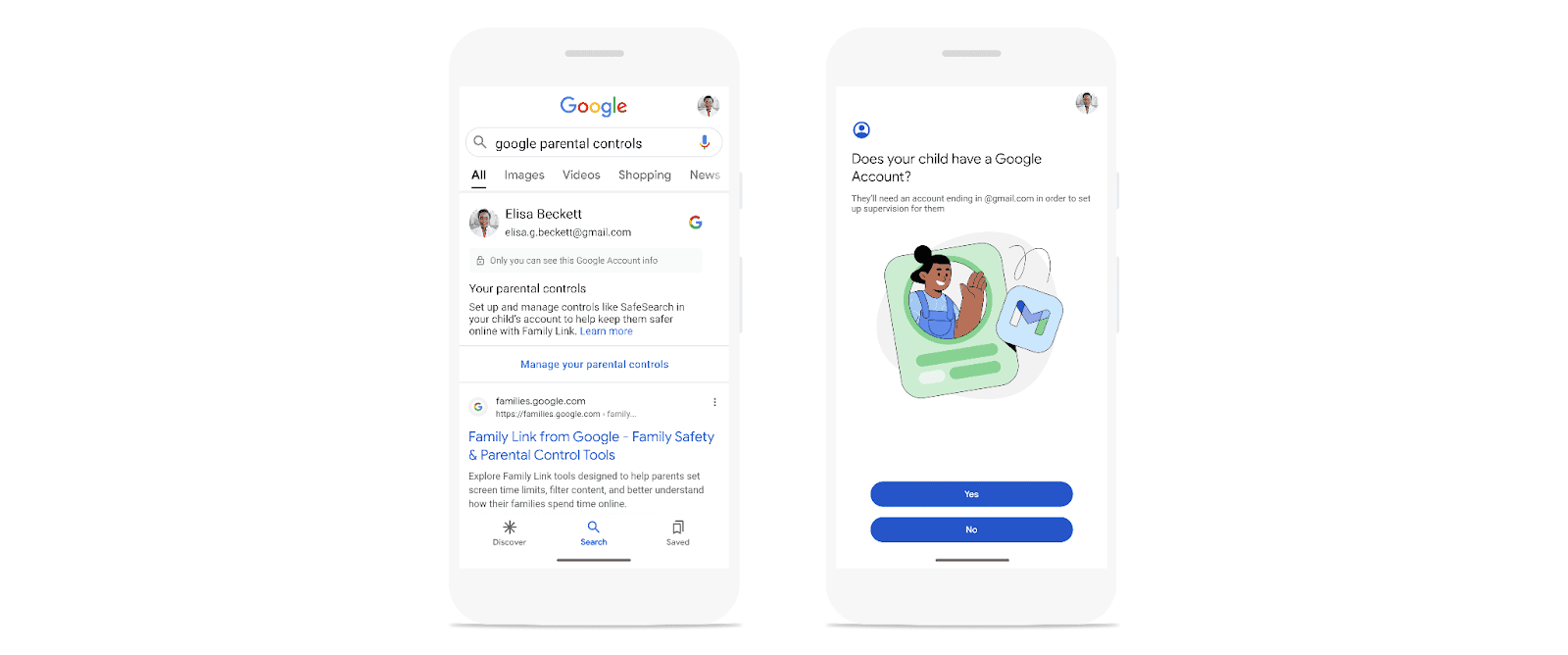
Earlier this year, Google also announced a new safeguard that helps protect you and your family from inadvertently encountering explicit imagery on Search.
With this update, explicit imagery — such as adult or graphic violent content — will now be blurred by default when it appears in Search results.
The new SafeSearch blurring setting is rolling out for all users globally this month. You can adjust your settings and turn it off at any time, unless a guardian or school network administrator has locked the setting.
We’re also making it easier to find parental controls directly in Search. Just type in a relevant query like “google parental controls” or “google family link” and you will see a box with information on how to manage your parental controls.
Updated policies on personal explicit images
“We have long had policies that enable you to remove non-consensual explicit imagery from Search. Now, we’re building on these protections to enable people to remove from Search any of their personal, explicit images that they no longer wish to be visible in Search.”
For example, if you created and uploaded explicit content to a website, then deleted it, you can request its removal from Search if it’s being published elsewhere without approval. This policy doesn’t apply to content you are currently commercializing.
More broadly, whether it’s for websites containing personal information, explicit imagery or any other removal requests, Google has updated and simplified the forms you use to submit requests.
“Of course, removing content from Google Search does not remove it from the web or other search engines, but we hope these changes give you more control over private information appearing in Google Search.”
“We know it’s important to stay in control of your online experience. These new tools and updates are some of the many ways we’re continuing to make Google the safest way to Search.”
Don’t miss important articles during the week. Subscribe to techbuild weekly digest for updates