


• Home
  • About
  • Advertise
  • Contact
  • Signup to receive updates
 Innovation | Startups | Funding | Tech Blog in Africa
NiRA Event
  • Home
  • Startups
  • Opportunities
  • Funding
  • Women Tech
  • Expert Column
  • Blockchain
No Result
View All Result
  • Home
  • Startups
  • Opportunities
  • Funding
  • Women Tech
  • Expert Column
  • Blockchain
No Result
View All Result
Innovation | Startups | Funding | Tech Blog in Africa
No Result
View All Result
Home General

You Can Change The Default Language On Windows 10 [How To]

by Editor
11 years ago
in General
Reading Time: 1 min read
A A
Windows 10 tips

Windows 10 tips

Share on FacebookShare on Twitter

RelatedPosts

Meta Expands Safety Features for Nigerian Teens and Parents at Abuja Event

6 Ways Google and Gemini Are Changing How Fans Enjoy the 2026 World Cup

Paystack Targets Nigerian SMEs With New Support Programme

AWIEF Announces Pitch n Grow 2026

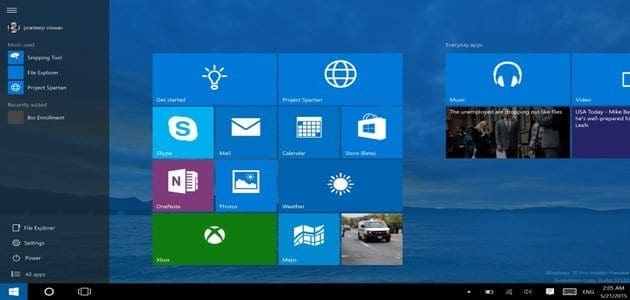
With the New Windows 10, you do not necessarily have to be stuck with English as the default language. You can change it as a personal decision or strategically for computers whose users prefer a different language. The new language will apply to menus, dialog boxes and user interface items.

Downloading and Installing a New Language

You must be signed in to Windows 10, using the administrative account. (Here is how to activate the admin account on windows 10)

  •                       Go to ‘Settings’ > ‘Time & Language’
  •                       Select ‘Region & Language’ then click ‘Add a language’
  •                       A new window will open offering various languages that can be installed on your PC.
  •                       Pick the language you desire; it downloads automatically
  •                       Go back to the ‘Time & Language’ screen; on the newly downloaded language, there are the options ‘Set as default’, ‘Options’ and ‘Remove’. Under ‘Options’, select ‘Download’. This will download the language pack and keyboards for the respective language.

To change the language of a particular User Account, you must first sign in to that account. Then, select the language and set it as default. A notification appears ‘Will display language after next sign-in’. Therefore, sign out and then back in again. The new language will be in effect.


Join @techbuildafrica on Telegram
ShareTweetShareSendShare

Related Posts

Meta
General

Meta Expands Safety Features for Nigerian Teens and Parents at Abuja Event

World Cup
General

6 Ways Google and Gemini Are Changing How Fans Enjoy the 2026 World Cup

Paystack Small Business
General

Paystack Targets Nigerian SMEs With New Support Programme

Subscribe Us

Recent Posts

  • Beyond More Money: Why Africa Needs Smarter Capital Deployment
  • Meta Expands Safety Features for Nigerian Teens and Parents at Abuja Event
  • Grey Expands Cross-Border Offering With Four New Currency Payout Options
  • 6 Ways Google and Gemini Are Changing How Fans Enjoy the 2026 World Cup
  • Paystack Rolls Out Paystack Index, Bringing AI Into the Checkout Experience
  • WhatsApp Now Flags Unfamiliar Numbers Before You Open a Chat
  • After Years in Regulatory Limbo, Zimbabwe’s Crypto Industry Gets a Formal Rulebook
  • The Bigger Crypto Security Problem Isn’t Billion-Dollar Hacks Anymore
  • RoboCare Lands Investment From 216 Capital to Expand Its Farm Intelligence Platform Beyond Tunisia
  • Football Podcasts Gain Momentum Across Sub-Saharan Africa, Spotify Reveals

Telegram

Join @techbuildafrica on Telegram
Innovation | Startups | Funding | Tech Blog in Africa

© 2013-2024 techbuild.africa. All Rights Reserved.

Navigate Site

  • About
  • Contact
  • Privacy
  • Sitemap
  • Terms
  • Blockchain
  • CleanTech

Follow Us

Welcome Back!

Login to your account below

Forgotten Password?

Retrieve your password

Please enter your username or email address to reset your password.

Log In

Add New Playlist

No Result
View All Result
  • Home
  • Startups
  • Hubs
  • Funding
  • WomenTech
  • CleanTech
  • Blockchain

© 2013-2024 techbuild.africa. All Rights Reserved.

This website uses cookies. By continuing to use this website you are giving consent to cookies being used. Visit our Privacy and Cookie Policy.
Secret Link
