In 2018, the world was taken aback, when the Facebook Cambridge Analytica scandal broke.
Many were caught flatfooted because, the thought appeared to be that, our data was safe.
One important thing that was picked from this scandal, was that, irrespective of how strong or weak, the password, we use, our personal details, could still be, easily, hacked and used, in perpetrating cybercrimes.
This was an eye-opener to us that, our personal information, which floats around, on the internet are not, really, safe and that is why it is essential that, we take proactive measures, to protect ourselves, especially, when we are using Facebook.
Taking proactive measures, to ensure your Facebook account safety, is not as difficult as, you think and this, can be done, in just a few minutes, on your PC, (you need to do this on your PC because, Facebook settings can include divulging a lot of information).
As the world marked data privacy day on Tuesday, January 28, 2020, here are 4 key things that you can do, to ensure your Facebook account safety:
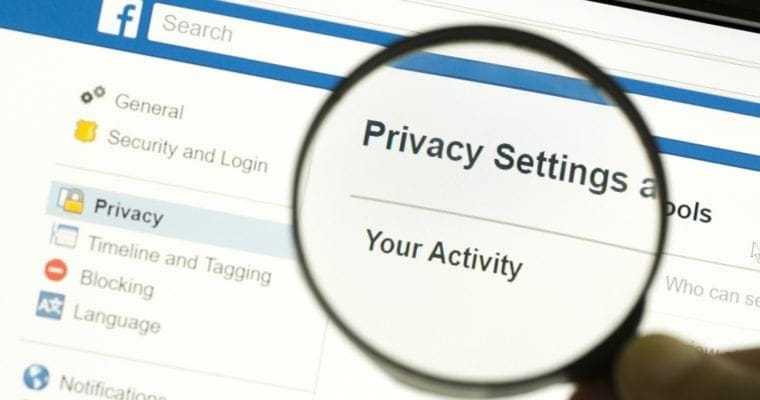
Always check Privacy Settings and Tools
There are a lot of things that, you can do, on your privacy settings that will safeguard your personal information.
You can do things like, control who can send you friend requests, deactivate and reactivate your account and decide how people can search for your account.
You can, also, decide who can see your account and who cannot.
Regulate how some of your past posts are publicly viewed
You can regulate, which of your past posts, you want people to see and the ones you do not want people to see. It is very easy.
All you have to do is to, just follow the steps below:
- Go to the Privacy section
- Find, Limit The Audience, for Old Posts, on Your Timeline
- Click Limit Last Posts and then, click the button, with the same title
Once you have completed these steps, you will regulate who sees your old post and who cannot.
Also read, Data Privacy Day 2020: Experts Calls on Buhari To Assent To Data Protection Bill
This protects you and keeps people that want to use your past information off.
Access devices that, you forgot to log out of
Often times, we find ourselves login to our Facebook account, with another person’s device.
While this is a wrong move, sometimes it cannot be helped, due to one reason, or, another.
The good news, however, is that, you can, actually, sign out of these accounts, by checking out a spot that reads as follows; ‘Where You’re Logged In’, under the Security and Login page.
Check all apps that have access, to your Facebook account
At some point, or, the other, we have consciously, given different kinds of apps, access to our Facebook account.
There is a risk here because, sometimes, some app developers abandon the project and your information that is, stored in the app, becomes open for others, to access. This makes you vulnerable to cyber-attacks
You can remedy this issue, by visiting the Apps and Websites page, to view the Active apps that have access to your account and click on the ‘Remove’ button, to delete any app you do not want, or, suspect.
Featured Image: searchenginejournal
Don’t miss important articles during the week. Subscribe to cfamedia weekly newsletter for updates.