


• Home
  • About
  • Advertise
  • Contact
  • Signup to receive updates
 Innovation | Startups | Funding | Tech Blog in Africa
NiRA Event
  • Home
  • Startups
  • Opportunities
  • Funding
  • Women Tech
  • Expert Column
  • Blockchain
No Result
View All Result
  • Home
  • Startups
  • Opportunities
  • Funding
  • Women Tech
  • Expert Column
  • Blockchain
No Result
View All Result
Innovation | Startups | Funding | Tech Blog in Africa
No Result
View All Result
Home General

How to Tidy Up Your Gallery, Hide Files and Photos

by TechBuild.Africa
8 years ago
in General
Reading Time: 2 mins read
A A
photo gallery

photo gallery

Share on FacebookShare on Twitter

RelatedPosts

Anthropic Nears $1 Trillion Valuation After Massive Series H Raise

Tech Meets Land: Inside Enugu State’s Push for Digitized Property Administration

Nigerian Businesses See Growth on Meta Platforms as Economic Impact Hits $820M

Google Marketing Live 2026: Unveiling the AI-Powered Tools Redefining Digital Advertising

There is nothing as annoying as having to scroll, looking for a photo due many media files.

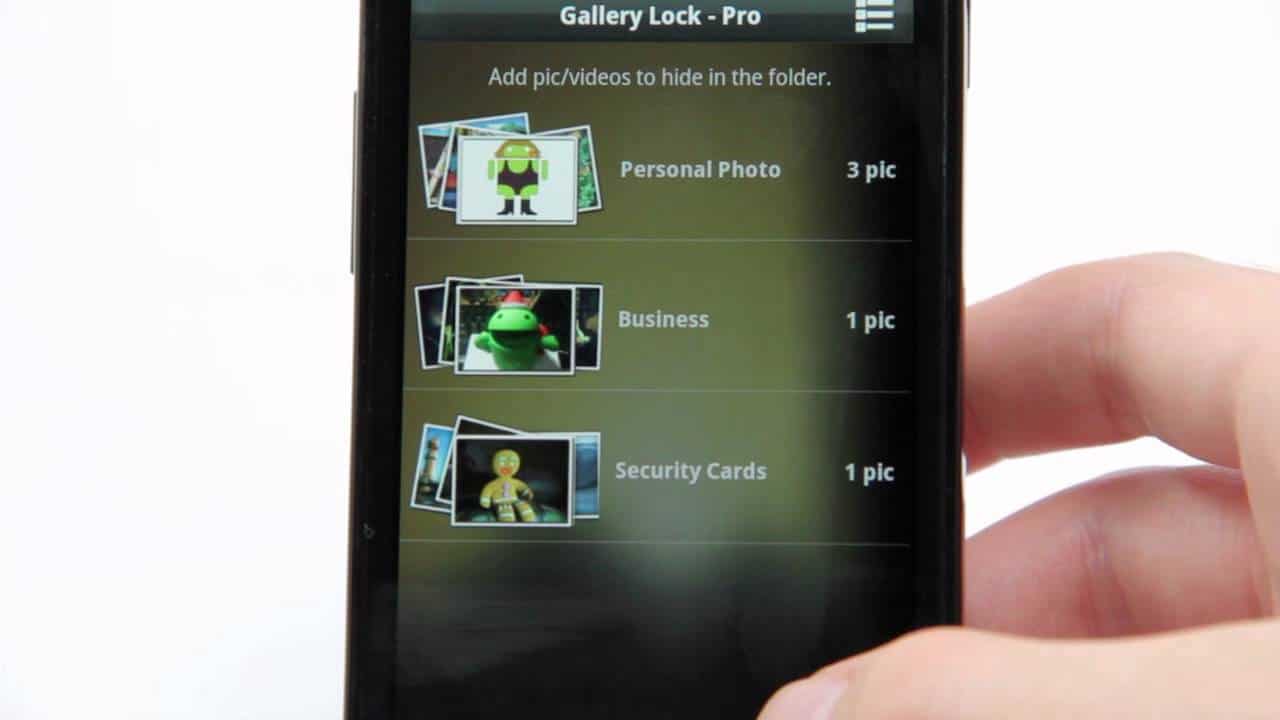
You could tidy up your gallery, hiding all those unnecessary files and pictures without having to install any other app.

Sometimes, we get anxious when someone checks our phones. We get worried what the person might see on our phone, either photo or video

The chances are that your music app downloads, like the Boom app or the music player of HTC.

It keeps downloading and updating your music files with the songs album cover, this leaves a countless number of pictures on your gallery.

WhatsApp too loads your phones with files, documents, photos, audios that clog up our gallery.

How do you then tidy up your gallery?

To clear up your space, you need to do the following:

  • Get a computer system; use a USB cable to connect your phone to the computer
  • Go to My Computer, open your phone
  • Scroll down to music folder or directory
  • Right-click and create an empty text file.
  • Change the name of the new text file to .nomedia
  • Make sure the dot is there
  • Repeat the same step above in any folder or directory that has such unnecessary files.

Disconnect your phone and see the outcome

Please note that this can also be done without the use of a computer. Change the name to .nomedia. This is very effective.

In case you want to hide individual files on your Android phone.

Connect your phone to a computer system as described above.

Open up the DCIM directory of the phone as shown on the computer.

This time the name of the new folder to be created will be .hidden

Also create a new text file that is empty, naming it .nomedia

Select and move the files, pictures and or videos you want to be hidden in the folder .hidden which you created above.

Savor the privacy henceforth.

Conclusion

Like my friend will say, my phone is my phone. Take charge of who sees what and what can be seen by other people.

Apart from the above steps, you can also encrypt your files. But this is tricky because if you forget the password, decrypting it will be such a struggle.


Join @techbuildafrica on Telegram
ShareTweetShareSendShare

Related Posts

Anthropic
General

Anthropic Nears $1 Trillion Valuation After Massive Series H Raise

ESHDC
General

Tech Meets Land: Inside Enugu State’s Push for Digitized Property Administration

Meta
General

Nigerian Businesses See Growth on Meta Platforms as Economic Impact Hits $820M

Subscribe Us

Recent Posts

  • 7 Whale Wallet Patterns That Show Up Before Every Major Crypto Move
  • Africa’s EV Infrastructure Bet Gains Momentum as Spiro Secures $215M in Fresh Capital
  • Cube Cover, SLOT Roll Out Advanced Device Protection Service in Nigeria
  • PayAngel Taps Visa and Currencycloud to Expand Global Payout Reach
  • Africa HealthTech ExCon Accelerator 2026
  • NCC Appoints New IPv6 Council Board, Retains Rudman as Chair to Drive Migration Efforts
  • Anthropic Nears $1 Trillion Valuation After Massive Series H Raise
  • TiE Women Program 2026 ($50k) Closes Soon
  • Tech Meets Land: Inside Enugu State’s Push for Digitized Property Administration
  • Apple Appears to Be Borrowing Android’s Playbook for a New Anti-Theft iPhone Feature

Telegram

Join @techbuildafrica on Telegram
Innovation | Startups | Funding | Tech Blog in Africa

© 2013-2024 techbuild.africa. All Rights Reserved.

Navigate Site

  • About
  • Contact
  • Privacy
  • Sitemap
  • Terms
  • Blockchain
  • CleanTech

Follow Us

Welcome Back!

Login to your account below

Forgotten Password?

Retrieve your password

Please enter your username or email address to reset your password.

Log In

Add New Playlist

No Result
View All Result
  • Home
  • Startups
  • Hubs
  • Funding
  • WomenTech
  • CleanTech
  • Blockchain

© 2013-2024 techbuild.africa. All Rights Reserved.

This website uses cookies. By continuing to use this website you are giving consent to cookies being used. Visit our Privacy and Cookie Policy.
Secret Link
